Claude Projects Beta vs Existing Projects: What Changes?
Separate review chats on one document used to sit side by side in a Claude project, and the new beta adds a conversation that hands out the work. What carries over from those old chats?
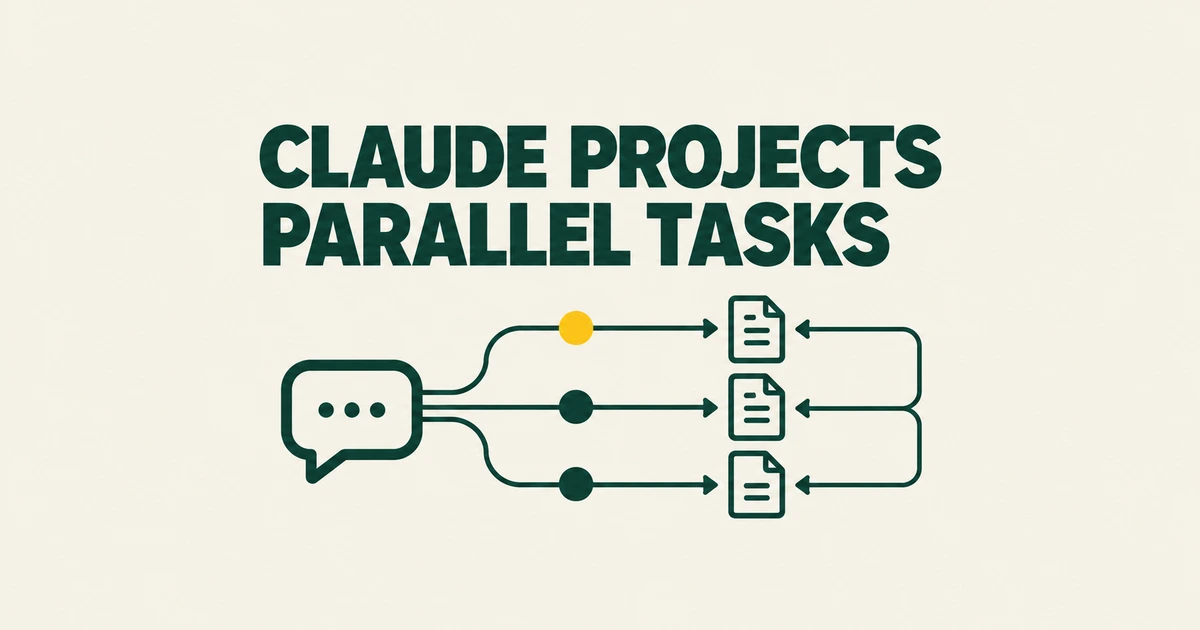
If you use a Claude project as a folder for independent conversations, the new Projects beta changes more than its appearance. Instead of opening and managing each task yourself, you give work to a coordinating conversation. Claude starts threads, receives their reports, and keeps track of what needs attention.
That change explains a concrete objection in a Reddit post by u/Deep-Tea9216: the author wants to keep separate conversations inside project folders. For someone requesting independent assessments of the same document, saved conclusions and task routing affect how the next assessment begins. Those settings matter alongside the new thread-management features.
Which version of Projects do you have?
Anthropic currently documents both versions. Existing projects provide a knowledge base, instructions, and individual chats. The beta uses one ongoing conversation to coordinate threads, with a Library for uploaded and generated files. Cloud threads can continue while your laptop is closed. The official overview explicitly separates the beta from the existing product.
| Question | Existing projects | New beta |
|---|---|---|
| How does work begin? | You start individual chats. | You give requests to a conversation that starts and tracks threads. |
| Where is reusable context? | Project knowledge and instructions, with separate memory features. | Project files, repositories, instructions, and memory. |
| Who has access? | All plans; Free accounts can create five projects. | Selected Pro and Max accounts during rollout. |
| Can a team share it? | Team and Enterprise support sharing under administrator controls. | The current beta is personal to a Pro or Max user; Team and Enterprise access will follow. |
A paid subscription therefore does not guarantee immediate beta access. Eligible accounts see Projects at claude.ai/code and in the desktop app’s Code area. Check More in the sidebar if needed; if your account has not received the feature, a missing menu is not necessarily a configuration fault. Anthropic provides a waitlist while access expands.
What migration preserves
Some existing Pro and Max projects are already moving to the new version. Anthropic says their instructions, files, full chat history, and scheduled tasks move with them. It also says users who used an existing project within the preceding 30 days will receive an email before migration. Other existing projects remain on the current version for now.
The retained chat history gives you a record of earlier decisions, while new requests go through the coordinating conversation. For a workflow built around separate evaluations, that changes where you assign the next task and how earlier conclusions can reach it. Review the memory controls alongside the migrated files before repeating that workflow in the new interface.
Shared files do not explain all cross-chat context
In an existing project, uploaded knowledge and project instructions are available to its chats. But “every new chat starts with no knowledge of earlier work” is too broad. Claude also has chat search and memory, documented separately from uploaded files.
According to Anthropic’s memory documentation, the new memory experience lets a project use its own memory alongside account memory from chats outside projects, but not memory from other projects. Turn off Use account memory in the project’s Memory settings to keep its memory fully separate. You can also turn Memory off for an individual new chat before sending its first message.
Turning Memory off before the first message also stops that chat from searching past conversations. The chat itself still remains in history, so other conversations can find it later. For a new assessment, this lets you retain the shared source documents while excluding saved memory and past-chat searches from that conversation. To investigate an earlier decision instead, use a chat where search is enabled and ask for the relevant discussion; searches inside a project stay within that project. The account-wide Search and reference chats control is available under Settings → Your Claude, or Memory in the older settings layout.
Large document collections introduce another distinction. On paid plans, existing project knowledge can switch automatically to retrieval as it approaches the context limit. Relevant passages are retrieved for a request instead of the whole collection being loaded at once. Anthropic’s RAG guide recommends identifiable filenames and explicit references in questions. Naming the contract version and clause gives the request a clearer target than asking about “the agreement” among several uploads.
The beta’s cloud threads use project memory files. Its coordinating conversation works from recent messages, recent threads, and memory rather than rereading the entire historical conversation on every turn. Persistent requirements belong in instructions or explicitly saved memory; a detail mentioned once in a long exchange should not be treated as a guaranteed permanent instruction.
What coordinated work looks like
Consider a support team preparing draft replies from a set of customer questions and a policy document. In separate chats, you might classify questions, write responses, and collect cases the policy cannot resolve. You then decide how those results feed into one another.
In the beta, you can ask the project to perform those related tasks and collect the outputs. The project conversation assigns work to threads, then reports what is ready or waiting for your input. Each thread has its own working context. The coordinator receives reports; it does not automatically inspect every intermediate step a thread took.
That makes the next action concrete. When the project reports that reply drafts are ready, open the output file and the relevant thread. Check whether unresolved cases are actually listed and whether a reply promises something absent from the policy. Send a correction directly to that thread when the target is specific. A completion message is useful navigation, but the generated file contains the deliverable.
For continuing work, put the policy source, required output format, and treatment of unanswered questions in project instructions. When a policy decision changes, update the source file and ask Claude to remember the decision. Those changes then have an explicit place to reach later work. A one-off sentence edit usually needs none of this coordination.
Set up a project around one real task
Create a project with a name and goal, then add the files the task requires. After creation, Overview’s Library provides the upload controls. Uploads are copies: editing the original file on your laptop does not update the project. Upload the revision and choose Replace when prompted for an existing filename.
Use Project settings → Memory → Project instructions for the brief. For the support example, specify which policy to use, how to mark unanswered questions, and what a finished reply file should contain. Send one small, representative task first so you can inspect how the resulting thread uses those instructions and where it puts its output. The Projects documentation describes this setup and the thread review workflow.
A project does not require a code repository. For repository work, the current cloud setup requires github.com access, permission to push, and installation of the Claude GitHub App. An organization owner may need to approve installation, and organizations using SSO require the relevant authorization. Until that access is granted, the repository may be missing from the project’s selection list.
Cloud threads also do not inherit every local configuration. They read repository CLAUDE.md instructions, but repository skills, .claude/settings.json, and .mcp.json are not automatically applied in the same way. If a task needs a database or device accessible only from your computer, that access must exist where the task runs. A thread running on your computer through Remote Control depends on that computer remaining awake, unlike an ordinary cloud thread.
Approvals remain attached to the thread that requested them. Telling the coordinator to go ahead does not approve every blocked operation. Open the relevant thread to handle its approval and review the resulting change there.
Why usage can rise, and how to stop ongoing work
Projects draw on the same plan limits as your other Claude Code sessions. Each running thread consumes usage, and the coordinating conversation consumes usage while reading reports and deciding what to do next. Several active threads can therefore spend the available allowance faster in elapsed time than a single session.
Project settings → Usage shows consumption by thread and model, including the coordinating conversation. For a small question, asking the conversation to answer directly can avoid starting unnecessary work. You can also ask for fewer concurrent threads, but a request such as “run two at a time” is a preference, not an enforced spending cap.
An ordinary thread that reaches a plan limit can wait and resume automatically when the limit resets. Work left running can consequently use your next allowance without another message from you. Threads started by scheduled tasks have a different behavior: their turn stops on a limit error. Extra usage beyond the subscription allowance requires usage credits to be enabled on the account; a thread cannot enable them itself.
To stop the whole project, use Pause under Project settings → General. It interrupts running threads and the conversation, prevents new threads, and stops scheduled tasks from running until you resume the project. Select Resume to reopen the project, then send a message to a paused thread when you want that thread to continue. Closing the browser alone leaves cloud work running; Pause interrupts it.