Ink Tank or Laser? Choosing a Printer for Occasional Use
The printer sits unused for weeks, then a color worksheet is due tomorrow morning. Which type fits those long gaps without making occasional color an expensive chore?
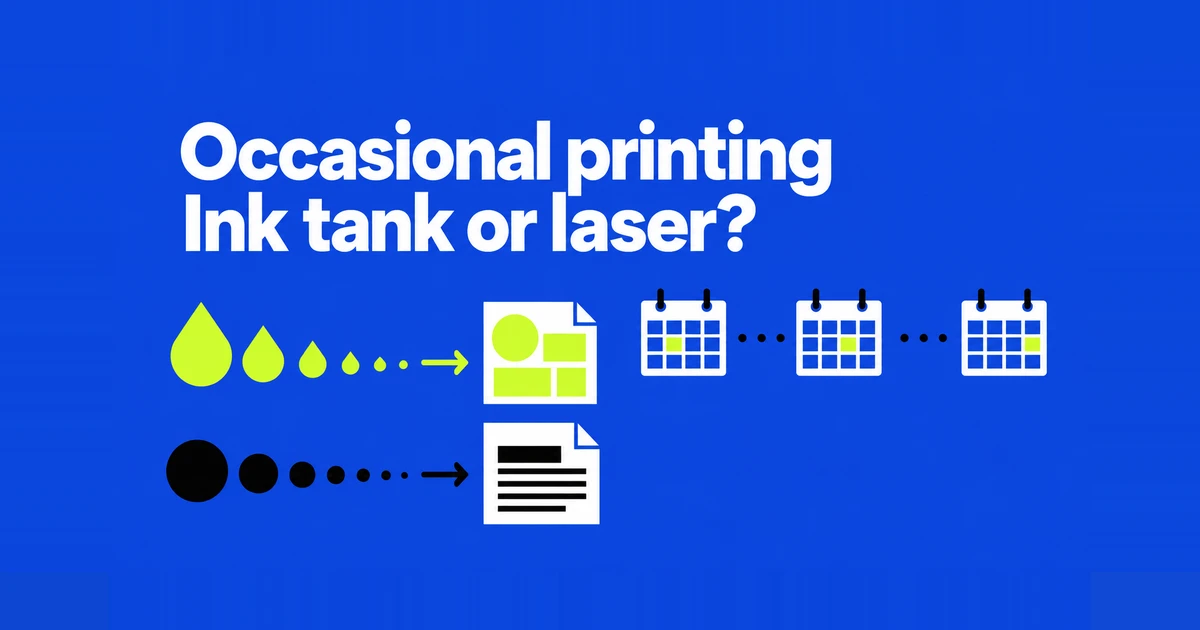
A monochrome laser is a strong starting point if you rarely print and mostly need forms, letters, or black-and-white worksheets. A tank inkjet becomes more attractive when color pages are a regular part of the week. The harder choice is a printer that sits idle for weeks but must handle occasional color.
That combination appeared in a printer-buying discussion on Reddit. The poster wanted to stop buying cartridges whenever they needed to print, then added that their children needed color for school projects. Recommending monochrome alone would leave part of the job unsolved. The choice includes how quickly the household needs color, how much it prints, and what maintenance it is willing to do.
Count the weeks between jobs, as well as the pages
Imagine one household printing five pages every week and another printing 60 pages once a quarter. Both average roughly 20 pages a month. Their printers spend very different lengths of time idle. A monthly page estimate helps with running costs, but the longest gap between jobs matters when choosing an inkjet.
Inkjet nozzles apply liquid ink. Laser printers use dry toner, which is fused to the page. Toner avoids the nozzle-drying problem that can affect an unused inkjet. Brother describes these different printing mechanisms. This is a reason to consider laser for infrequent documents, not a promise of unlimited storage life or maintenance-free ownership.
There is no universal countdown to a clogged printhead. Canon's iP2800 manual, for example, recommends using that printer at least monthly. That is model-specific care advice, not proof that every inkjet fails after a month. Someone who regularly travels for weeks should read the intended model's storage and inactivity instructions before buying.
Four options for the same household
Refillable tanks change how an inkjet stores and receives ink. They do not turn it into a different, dry printing technology. Here, “tank printer” means a manufacturer-designed refillable system, rather than an aftermarket conversion fitted to a cartridge printer.
| Option | A useful starting point when… | Include in the comparison |
|---|---|---|
| Cartridge inkjet | The upfront budget is tight and you need limited color output. | Cartridge prices, included ink, idle-time care |
| Tank inkjet | You regularly print enough color to use the low refill cost. | Purchase premium, cleaning, waste-ink parts |
| Monochrome laser | Most work is black-and-white, with long gaps between jobs. | Toner, drum, outsourced color jobs |
| Color laser | Color documents must be available at home despite infrequent use. | Purchase price, space, color supplies and replacement parts |
These are starting points, not price rankings. A discounted multifunction printer can cost less than a simpler model using another technology. Compare equivalent jobs: a print-only machine does not replace a scanner that the household uses every week.
A large ink supply is most useful when you print enough to use it. If your household prints only a handful of pages each month, ink for thousands of pages may offer little financial benefit. Compare how much you would actually spend on ink during the time you expect to own the printer.
Ink savings can take years to cover a higher purchase price
A simple break-even calculation divides the extra printer price by the saving per printed page. Suppose one machine costs $120 more and saves four cents per page. These are hypothetical amounts, not current prices or measured costs for any model.
| Assumption or calculation | Result |
|---|---|
| Extra purchase cost | $120 |
| Saving per printed side | $0.04 |
| Pages to recover the difference | 3,000 |
| At 20 pages a month | 150 months |
| At 200 pages a month | 15 months |
The 150-month result is not a prediction that a printer will last that long. It shows why a small cost-per-page advantage may be a weak reason to spend more upfront. Count printed sides: a sheet printed on both sides represents two pages in this example.
This simplified calculation ignores differences in included supplies and assumes constant running costs. For an actual purchase, choose an ownership period and add the cost of supplies you would buy during it. If the included toner covers that period, leave replacement toner out of the estimate. Add likely maintenance parts and the cost of any color or photo work sent to a print service.
Published yield also has conditions. Epson's ET-2850 notes say some included ink goes into initial setup and that infrequent printing can reduce yield. A bottle's test-page count is not a guaranteed number of your occasional documents or photos.
Head cleaning uses ink, and maintenance parts can need replacing
Printhead cleaning consumes ink without printing a document. Epson's Power Cleaning instructions explain that the process uses substantial ink and can bring waste-ink pads to their service limit sooner. Include that ink use and possible servicing in running costs if an idle printer needs repeated cleaning.
Use the exact model's diagnostic sequence. In the ET-2850 instructions, the printed pattern guides cleaning decisions. If up to three ordinary cleanings do not improve the output, Epson directs the user to switch off and wait at least 12 hours before checking again. This is an example of a documented recovery sequence, not a universal procedure for every inkjet.
How you replace parts that collect waste ink also varies by model. One Epson maintenance-box guide describes a user-replaceable part; the pad guidance above directs users to support at the service limit. When comparing two shortlisted models, check whether you can replace the relevant part yourself or need servicing.
A laser has its own consumables. In Brother's toner-and-drum explanation, the toner cartridge and imaging drum are separate supplies. A drum replacement can be due while toner remains. A budget covering toner alone would miss that expense.
A color assignment is not the same job as a photo album
A worksheet may only need colored regions to remain distinguishable. A photo album demands more from skin tones, shadow detail, paper, and the final print size. Color laser belongs on a shortlist for documents. Regular photo printing calls for a comparison of photo-oriented inkjets, supported media, and borderless sizes.
Tank printers also differ in their suitability for photos. The ET-8500's six-ink system includes gray and photo black as well as cyan, magenta, yellow, and a separate pigment black. When comparing photo printers, consider both the ink configuration and support for the paper types and print sizes you want to use.
For rare color jobs, a monochrome printer plus a print shop can be a workable combination. Include travel and opening hours in that decision. A shop that is closed when tomorrow's assignment arrives cannot solve tonight's problem, however attractive its per-page rate.
If color must be available immediately, compare a color laser with an inkjet that meets the same output and scanning needs. A cartridge inkjet remains a possible low-upfront-cost option. Moving from cartridges to a tank can change refill economics, but it does not remove liquid-ink maintenance from the choice.
Automatic duplex printing does not mean duplex scanning
All-in-one printers can have different scanning capabilities. A flatbed scans an original placed on glass. An automatic document feeder, or ADF, feeds a stack of originals. If you need to capture both sides of those originals, check for automatic two-sided scanning as well.
Duplex printing concerns the paper coming out of the printer. It does not establish that the scanner can capture both sides automatically. Someone scanning a ten-page signed packet every week may benefit more from the right feeder than from a small ink saving. For occasional ID copies or a single form, a flatbed may cover the work.
A monochrome multifunction printer may still scan in color. Brother's DCP-B7620DW-family specifications list color and black scanning separately from the print specifications. If you only need to send a color original as a file, color printing hardware may be unnecessary. Check the scanner specification before paying for output you will not use.
Build the shortlist around documents you already print
For occasional forms with long idle periods, compare monochrome lasers with the scanning features you need. Add the cost and inconvenience of any outsourced color. For weekly color worksheets, compare tank models over a realistic period of use, including school breaks that leave the printer idle.
For rare but urgent color documents, keep color laser and suitable inkjet options in the comparison. If the real goal is photo printing, compare photo-oriented hardware with an outside photo service instead of buying a document printer and hoping it meets a different standard.
For a final test, print a familiar black-and-white document and a color page you genuinely need. Check whether small text is clear and chart colors are easy to distinguish. For scanning, use a stack with the number of originals you normally handle. These tests show whether the printer can do your everyday work, beyond the advertised number of pages its ink can print.