MacBook Pro M1 to M5 Max: Every Binned and Full Chip Compared
Compare all 26 MacBook Pro Apple silicon configurations using Geekbench 6 CPU and Metal results, plus memory, SSD and screen options.
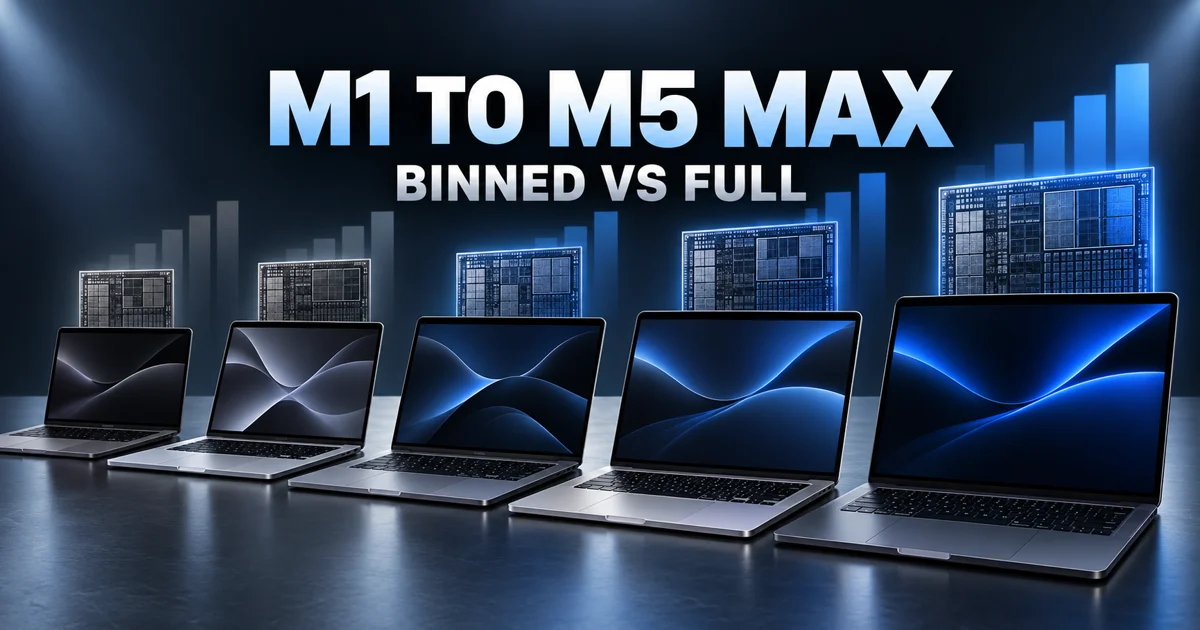
- There are 26 distinct CPU/GPU configurations across MacBook Pro chips from M1 through M5 Max. The family name alone often hides a meaningful core-count difference.
- Full Pro chips deliver roughly 9–20% more Geekbench 6 multi-core performance. Max variants with identical CPUs—M1, M2 and M5 Max—separate on GPU performance and memory options instead.
- The binned M4 Max and M5 Max are locked to 36GB. A workload that needs 64GB or 128GB forces the full 40-core GPU configuration before benchmarks enter the decision.
A used listing that says “M3 Max” does not tell you which machine you are buying. That name covers a 14-core CPU with a 30-core GPU and a 16-core CPU with a 40-core GPU. The M5 Max creates a different trap: its two versions share the same CPU, but one stops at 36GB of unified memory while the other can reach 128GB.
This guide puts every MacBook Pro Apple silicon option on one scale. CPU figures are Geekbench 6 averages compiled by EveryMac. GPU comparisons use identifiable public Geekbench 6 Metal runs. No Geekbench 5 scores are mixed into the tables.
“Binned” is shorthand; the core count is the specification
Apple does not sell a product officially named a “binned chip.” The term describes a lower-core configuration within the same M Pro or M Max family. A precise listing should say M4 Pro, 12-core CPU and 16-core GPU, not simply M4 Pro.
The M1 Pro is the only three-step family in this list: 8 CPU/14 GPU, 10 CPU/14 GPU and 10 CPU/16 GPU. The middle chip has the full 10-core CPU but keeps the smaller GPU. By contrast, both M5 Max versions have an 18-core CPU and differ only in GPU core count and available memory.
Every MacBook Pro chip from M1 through M5 Max
For a consistent comparison, the table uses the 14-inch model when available. The base M1 and M2 were sold in the 13-inch MacBook Pro, and configurations that were also available in the larger chassis are marked 14/16-inch.
| Chip | CPU / GPU | Tier | GB6 single | GB6 multi | Memory | Screen |
|---|---|---|---|---|---|---|
| M1 | 8 / 8 | Single | 2,322 | 8,181 | 8, 16GB | 13-inch |
| M1 Pro | 8 / 14 | Lower bin | 2,360 | 10,312 | 16, 32GB | 14-inch |
| 10 / 14 | Middle | 2,385 | 12,338 | 14-inch | ||
| 10 / 16 | Full | 2,385 | 12,338 | 14/16-inch | ||
| M1 Max | 10 / 24 | Binned | 2,378 | 12,338 | 32, 64GB | 14/16-inch |
| 10 / 32 | Full | 2,378 | 12,338 | |||
| M2 | 8 / 10 | Single | 2,606 | 9,658 | 8, 16, 24GB | 13-inch |
| M2 Pro | 10 / 16 | Binned | 2,643 | 12,344 | 16, 32GB | 14-inch |
| 12 / 19 | Full | 2,656 | 14,446 | 14/16-inch | ||
| M2 Max | 12 / 30 | Binned | 2,741 | 14,729 | 32, 64GB | 14/16-inch |
| 12 / 38 | Full | 2,741 | 14,729 | 32, 64, 96GB | ||
| M3 | 8 / 10 | Single | 3,092 | 11,624 | 8, 16, 24GB | 14-inch |
| M3 Pro | 11 / 14 | Binned | 3,088 | 13,968 | 18, 36GB | 14-inch |
| 12 / 18 | Full | 3,099 | 15,244 | 14/16-inch | ||
| M3 Max | 14 / 30 | Binned | 3,104 | 19,145 | 36, 96GB | 14/16-inch |
| 16 / 40 | Full | 3,101 | 21,104 | 48, 64, 128GB | ||
| M4 | 10 / 10 | Single | 3,736 | 14,746 | 16, 24, 32GB | 14-inch |
| M4 Pro | 12 / 16 | Binned | 3,844 | 20,182 | 24, 48GB | 14-inch |
| 14 / 20 | Full | 3,840 | 22,309 | 14/16-inch | ||
| M4 Max | 14 / 32 | Binned | 3,852 | 23,062 | 36GB fixed | 14/16-inch |
| 16 / 40 | Full | 3,889 | 25,621 | 48, 64, 128GB | ||
| M5 | 10 / 10 | Single | 4,252 | 17,606 | 16, 24, 32GB | 14-inch |
| M5 Pro | 15 / 16 | Binned | 4,178 | 25,411 | 24, 48GB | 14-inch |
| 18 / 20 | Full | 4,213 | 27,915 | 24, 48, 64GB | 14/16-inch | |
| M5 Max | 18 / 32 | Binned | 4,235 | 28,746 | 36GB fixed | 14/16-inch |
| 18 / 40 | Full | 4,235 | 28,746 | 48, 64, 128GB |
The 13-inch M1 and M2 models offered 256GB to 2TB of storage. Pro and Max systems generally started at 512GB or 1TB and reached as high as 8TB, depending on the generation and base configuration. Storage can be selected independently more often than memory; the most consequential option locks are in the memory column.
A full Pro chip buys 9–20% more multi-core CPU performance
| Generation | Binned multi | Full multi | Gain |
|---|---|---|---|
| M1 Pro | 10,312 | 12,338 | +19.6% |
| M2 Pro | 12,344 | 14,446 | +17.0% |
| M3 Pro | 13,968 | 15,244 | +9.1% |
| M4 Pro | 20,182 | 22,309 | +10.5% |
| M5 Pro | 25,411 | 27,915 | +9.9% |
The lowest M1 Pro loses the most CPU performance because it drops from ten CPU cores to eight. From M3 onward, the full Pro’s CPU advantage settles near 10%. That difference matters in sustained compilation, CPU rendering and encoding; it is much harder to notice in browsing, office work or short builds.
The 10 CPU/14 GPU M1 Pro is the useful exception. Its CPU result matches the 10 CPU/16 GPU full chip, so a discounted used system can be excellent for development or audio work that does not need the last two GPU cores.
Max chips should be selected by GPU cores and memory first
M1 Max and M2 Max keep the same CPU across their binned and full versions. Their Geekbench 6 CPU averages are therefore identical. M5 Max returns to that design: both choices use an 18-core CPU and average 4,235 single-core and 28,746 multi-core.
M3 Max and M4 Max are different because the lower bin also loses CPU cores. Moving to the full M3 Max raises multi-core performance by 10.2%; the full M4 Max gains 11.1%.
Binned M4 Max and M5 Max stop at 36GB
If a local model, large video timeline or 3D scene needs 64GB or 128GB, the full 40-core GPU chip is mandatory. That memory requirement decides the purchase before a CPU benchmark does.
Geekbench 6 Metal exposes the larger GPU gap
These are identifiable public Geekbench 6 Metal runs, not the averaged CPU dataset above. They are most useful for reading the scale of the GPU difference within each family.
| Generation | Binned Metal | Full Metal | Difference |
|---|---|---|---|
| M3 Pro | 69,250 11 CPU / 14 GPU | 79,466 12 CPU / 18 GPU | +14.8% |
| M3 Max | 130,486 14 CPU / 30 GPU | 162,166 16 CPU / 40 GPU | +24.3% |
| M4 Pro | 100,465 12 CPU / 16 GPU | 115,564 14 CPU / 20 GPU | +15.0% |
| M5 Pro | 122,284 15 CPU / 16 GPU | 137,248 18 CPU / 20 GPU | +12.2% |
| M5 Max | 189,086 18 CPU / 32 GPU | 229,066 18 CPU / 40 GPU | +21.1% |
The full Pro configurations gained roughly 12–15% in these runs, while the full Max chips gained about 21–24%. A full Max makes its strongest case in 3D rendering, sustained video effects and GPU compute—not ordinary development or photo work.
The option strategy changed at M3 and again at M4
M1: the most complicated Pro lineup
Three M1 Pro versions mean a used listing must include both CPU and GPU core counts. “10-core M1 Pro” still leaves a 14-core versus 16-core GPU question.
M2: 96GB arrived only on the full Max
The 30-core GPU M2 Max stopped at 64GB. The 38-core GPU chip opened a 96GB configuration even though both versions delivered the same CPU score.
M3: the Max bin lost CPU cores too
The 14 CPU/30 GPU M3 Max and 16 CPU/40 GPU chip differ in every major compute dimension. The lower chip uniquely offered 36GB or 96GB, while the full version offered 48GB, 64GB or 128GB.
M4: the 36GB Max ceiling became a purchasing trap
The 14 CPU/32 GPU M4 Max is fast, but memory cannot be upgraded beyond 36GB. Selecting 48GB automatically moves the order to the full 16 CPU/40 GPU chip.
M5: Max keeps the CPU and separates GPU and memory
Both M5 Max choices use the same 18-core CPU. The upgrade price buys 32-to-40 GPU cores and a move from fixed 36GB memory to 48GB, 64GB or 128GB.
Buy by bottleneck, not by the Pro or Max badge
| Workload | Check first | Best starting point |
|---|---|---|
| Web/app development, office, photography | Memory and SSD | Binned Pro is usually enough |
| Large builds and CPU rendering | CPU cores and GB6 multi | Full Pro or CPU-binned Max comparison |
| 3D, video effects, GPU compute | GPU cores and Metal | Full Max has the clearest gain |
| Local AI and large datasets | Unified memory capacity | 64GB+ forces full M4/M5 Max |
| Used purchase | CPU/GPU core count in System Information | Never rely on the family name alone |
The value choice is usually a binned Pro; sustained CPU work can justify a full Pro; a full Max earns its price only when GPU throughput or high-capacity unified memory is the actual constraint. On M4 and M5 Max in particular, choose memory capacity before comparing benchmark points.
Frequently asked questions
What does a binned MacBook Pro chip mean?
Binned is an informal name for a lower-core version of the same Pro or Max chip. Apple lists the real configuration by CPU and GPU core count, so that is the specification to verify.
Is the full M5 Max faster than the binned M5 Max in CPU tests?
No. Both versions have the same 18-core CPU and the same EveryMac Geekbench 6 averages: 4,235 single-core and 28,746 multi-core. The full chip adds eight GPU cores and higher memory options.
Which MacBook Pro chips are locked to 36GB of memory?
The binned 14-core CPU/32-core GPU M4 Max and 18-core CPU/32-core GPU M5 Max configurations are fixed at 36GB. Moving to 48GB, 64GB or 128GB requires the full 40-core GPU chip.
What should I verify when buying a used Apple silicon MacBook Pro?
Check the CPU core count, GPU core count and unified memory in System Information. A listing that says only M1 Pro or M3 Max does not identify the actual chip configuration.