225F vs 14400F: What DDR4 Reuse Actually Saves in a US Build
A cheaper CPU becomes a bigger shopping cart once a new board and 32GB of DDR5 join it. Which parts are worth replacing for RTX 4060 or 5060 gaming?
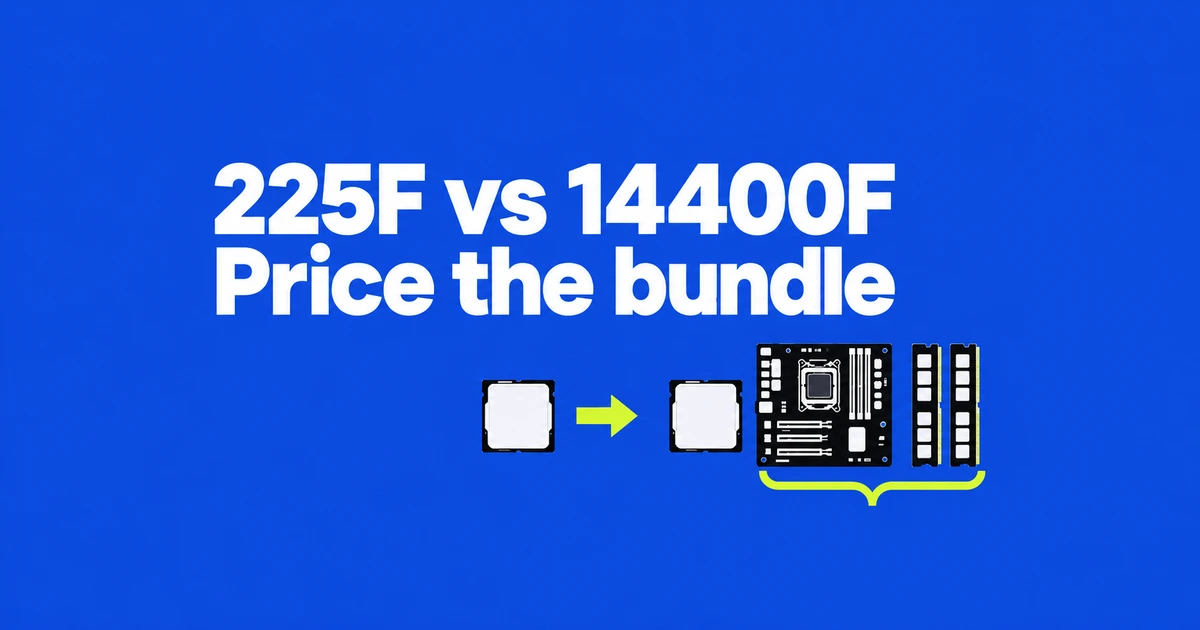
Keep a working 14400F PC if it meets your gaming target; for a new budget build, reuse suitable DDR4 before paying for a complete 225F platform. The US parts below cost $281.09 with existing 32GB DDR4, against $912.92 for the listed 225F, board and 32GB DDR5. If you own neither platform, buying DDR4 reduces that gap, and a competitively priced complete DDR5 PC deserves a separate comparison.
- Reusing a suitable DDR4 kit can make a 14400F build cheaper. If you need to buy memory either way, compare complete bundles with the same capacity and graphics card.
- The 225F leads in some direct tests, but results obtained with different DDR5 configurations do not measure the benefit of replacing your DDR4 system.
- A working 14400F system needs a motherboard change as well as DDR5 to move to the 225F. Keep it unless a specific gaming shortfall justifies the replacement cost.
Own adequate DDR4 but need a CPU and board: price the 14400F reuse cart first; the listed new purchases total $281.09 before tax.
Own a working 14400F PC: keep it when your target is met. The new 225F platform costs the full $912.92 subtotal before selling anything.
Buy every part or a complete PC: compare equal GPU, 32GB capacity and warranty. A well-priced DDR5 bundle can change the parts-only result.
The useful comparison starts with what you already own. Someone carrying a good DDR4 kit into a new build has a different budget from someone buying a complete PC. A 14400F owner has a third decision: whether replacing the platform improves the games they actually play enough to justify the expense.
The 225F belongs on a budget shortlist when its complete configuration is competitive. The 14400F earns its place when DDR4 reuse or an inexpensive compatible board creates a meaningful saving. A lower CPU sticker price alone does not settle either choice.
Separate a new build from a platform replacement
If you already have a working 14400F, keeping it requires no new CPU purchase. Moving to a 225F requires an LGA1851 board and DDR5 memory. The difference between two new-build shopping carts is therefore not your upgrade cost.
If you only own DDR4, price a compatible DDR4 board alongside the 14400F. Count the memory as zero new spending when you can actually reuse it at the capacity you need. An old kit that is too small for your workload does not create the same saving as a suitable 32GB kit.
For a completely new PC, get the same GPU, storage capacity, and RAM capacity into both quotes before comparing totals. The newer processor can be a reasonable purchase without being a worthwhile upgrade from a system you already own.
Both have ten cores, but threads and platform requirements differ
Intel's 225F specification and the 14400F specification list six performance cores and four efficiency cores for each chip. Hyper-Threading gives the 14400F sixteen threads; the 225F has ten.
| Published specification | 225F | 14400F |
|---|---|---|
| Cores / threads | 6P + 4E / 10 | 6P + 4E / 16 |
| Maximum turbo | 4.9GHz | 4.7GHz |
| Base / maximum turbo power | 65W / 121W | 65W / 148W |
| Socket | LGA1851 | LGA1700 |
| Memory support, up to | DDR5-6400 | DDR4-3200 or DDR5-4800 |
Thread count is not a performance multiplier across different core designs. Likewise, the higher turbo clock does not establish a fixed advantage in games. The power limits describe the processor's operating specifications, rather than a measured difference at the wall or a calculated electricity saving.
Read the memory settings beside the benchmark
ComputerBase's April 2025 gaming comparison used an RTX 5090 FE, Windows 11 24H2, and CPU-limited 720p testing. Its geometric mean of average frame rates was 109fps for the 225F with DDR5-6400 CL36 CUDIMMs and 92fps for the 14400F with DDR5-4800 CL24.
The displayed figures imply roughly an 18.5% lead. They compare complete CPU-and-memory configurations, rather than isolating the processor or measuring a DDR4 upgrade. A more modest graphics card at demanding visual settings leaves less room for that CPU-side difference to affect the final frame rate.
For a separate rendering example, Mogalabo's October 2026 comparison used 32GB of DDR5-4800 on both Intel platforms. Cinebench 2024 scores were 910 versus 820 in multi-core and 124 versus 105 in single-core, favoring the 225F. These are rendering results, not percentages to apply to every game.
Another useful reference is TechSpot's December 2025 test. Its 225F used a Z890 board, DDR5-8200 CL40 CUDIMMs, and an RTX 5090. Across twelve games, the geometric-mean improvement over a 12400F was 7–9%, depending on quality settings. That is a different comparison from the direct 14400F test, and the expensive board is a test configuration rather than a requirement for buying this CPU.
Use those results to frame your own target. If your existing system already meets your monitor's refresh target, a platform replacement offers less immediate value. If it falls short, compare the actual game and settings before choosing where the upgrade budget goes.
Lowering graphics quality is a useful diagnostic step. A substantial increase in frame rate points toward graphics workload as a meaningful limit. Little change gives you a reason to examine CPU performance, frame pacing, and background activity. It does not turn a single observation into an exact forecast for a replacement processor.
Choose a DDR4 motherboard to reuse your memory
The 14400F supports either memory generation through different motherboards. A DDR4 board does not become a DDR5 board when you install a different kit. The 225F also changes the socket, so updating the BIOS on a B760 board cannot make it an LGA1851 platform.
Compare actual model names. MSI's PRO B760M-P DDR4 has four DDR4 slots, a PCIe 4.0 x16 graphics slot, two M.2 slots supporting PCIe 4.0 x4, and gigabit Ethernet. Its PRO B860M-B has two DDR5 slots, a PCIe 5.0 x16 graphics slot, one Gen5 and one Gen4 M.2 connection, and 5GbE.
Those are differences between two models, rather than universal B760 and B860 features. Buy the connections you will use. A faster Ethernet port offers no faster link to a router restricted to gigabit speeds, while an unused storage interface does not improve the SSD already in your cart.
Slot count affects later spending. Filling a two-slot board with two 16GB modules means a future move to 64GB requires replacing that kit. Four slots leave more physical options, but do not guarantee the same memory speed with every slot populated. Match the board's support information to the intended capacity and module arrangement.
What the same CPU does with DDR4 and DDR5
Tom's Hardware tested the i5-14400 with both memory generations in April 2024. At 1080p, stock DDR4-3200 finished about 2% ahead of stock DDR5-4800, which the reviewer treated as a tie. Tuned DDR5-6800 instead led tuned DDR4-3600 by about 8%. Paying for DDR5 creates performance headroom, but a basic kit running at default speed does not reproduce that tuned result.
The test setup used an RTX 4090, Z790 boards and relaxed power limits; the DDR4 kit was two 8GB modules. This is a same-CPU memory comparison on the non-F 14400, rather than a measured 32GB 14400F-to-225F upgrade. It gives a reason to keep usable DDR4 without turning the earlier 18.5% DDR5-platform result into a promised upgrade percentage.
Where to spend: CPU performance for high refresh, GPU performance for 1440p quality
Komataro PC's RTX 4060 tests, dated February 23, 2026, show why settings matter. At 1080p with DDR5-4800, its 14400F and 14500 produced 120 and 122fps in Fortnite at the highest DLSS preset, versus 298 and 321fps at the low preset. These are two Raptor Lake CPUs, not a direct contest with the 225F. The point is the change from a 2fps gap to a 23fps gap when chasing much higher frame rates.
The source does not specify separate frame-generation and DLSS quality states or supply 1% lows for that table. Use its labelled settings as published, rather than treating those numbers as native-rendering latency measurements.
For the newer CPU with an actual budget graphics card, PC Gamer's September 17, 2026 RDY Scale B06 review tested a 225F, Asus Dual RTX 5060 8GB and one 16GB DDR5-5200 CL40 module:
| 2560×1440, published preset | Average FPS | 1% low FPS |
|---|---|---|
| Avatar: Frontiers of Pandora, Ultra | 36 | 24 |
| Cyberpunk 2077, RT Medium | 35 | 28 |
| Baldur's Gate 3, Ultra | 71 | 43 |
| Black Myth: Wukong, Very High | 30 | 23 |
These are its ordinary 1440p charts, separate from the upscaling charts. Three of these games miss a 60fps average even on the newer platform. For demanding 1440p graphics, keeping money available for the GPU or adjusting quality is more useful than buying the CPU label alone. For low-setting competitive play near 300fps, seek a test of your exact game and its slow scenes before accepting the cheaper platform.
No controlled 225F-DDR5 versus 14400F-DDR4 comparison with the same RTX 4060 or 5060, 32GB capacity and game build was available in this research. The same-CPU memory test and the two midrange-GPU examples answer different parts of the choice. They support avoiding an expensive speculative rebuild; they do not supply an exact FPS gain for that rebuild.
US parts checked November 2, 2026: $281.09 to reuse DDR4
These are individual new-part listings available to US shoppers on November 2, 2026, before sales tax. Both finished configurations have 32GB in two modules; the reuse column assumes your existing kit works and has enough capacity. The graphics card, SSD, case and power supply stay outside this platform subtotal. This is a buyable parts comparison, not a claim that these are the cheapest bundles.
| Item and seller | 14400F / DDR4 reuse | 225F / new DDR5 |
|---|---|---|
| Boxed CPU, Newegg listings | i5-14400F BX8071514400F: $161.10 (₩220,707) | Ultra 5 225F BX80768225F: $151.99 (₩208,226), MobileMonster marketplace seller |
| Motherboard, Newegg | MSI PRO B760M-P DDR4: $119.99 (₩164,386) | ASRock B860M Challenger WiFi White: $149.99 + $0.99 shipping = $150.98 (₩206,843) |
| 32GB (2×16GB) memory | Existing suitable DDR4: $0 new spending | Crucial CT2K16G56C46U5, DDR5-5600 CL46: $609.95 (₩835,632), 3C Expert on Newegg |
| New platform purchases | $281.09 (₩385,093) | $912.92 (₩1,250,700) |
The DDR5 cart costs $631.83 more (₩865,607) when you reuse DDR4. If memory must be purchased for both PCs, Newegg's Corsair Vengeance LPX CMK32GX4M2E3200C16, 32GB DDR4-3200 CL16 was $259.99 (₩356,186). That makes the DDR4 cart $541.08 (₩741,280) and the difference $371.84 (₩509,421). A new kit therefore changes the decision substantially.
The unusually expensive Crucial listing is part of this specific cart, not the minimum price of DDR5 or the price of the tuned kit in a benchmark. Compare another supported 32GB kit or a complete bundle before ordering; every dollar removed from that memory line reduces the gap by one dollar. The Patriot PVV532G600C30K listing found during research explicitly excludes Arrow Lake, so it was not substituted into the 225F cart. The board listing adds $0.99 shipping; the other listed offers displayed free shipping. Tax depends on delivery address, and marketplace warranties and delivery differ from Newegg-sold parts. Won equivalents use $1 = ₩1,370 for reference, not a US tax or exchange-rate quote.
An existing 14400F owner would pay the full $912.92 platform subtotal before tax and any sale of old parts. Keeping the current CPU, board and memory costs $0 in replacement parts. The $631.83 new-build difference is not the price of upgrading an already complete PC.
For an existing 14400F owner, the net upgrade cost is the price of the new CPU, board and memory minus the actual proceeds from selling the replaced components. Add assembly or setup costs that apply to your build. Confirm cooler compatibility with its manufacturer before budgeting a replacement; a socket change alone does not establish whether your particular mounting kit works.
There is no universal dollar premium justified by an average frame-rate percentage. A higher-refresh competitive gaming target, a GPU upgrade you would otherwise afford, and the board connections you need put different values on the same amount of spending.
Compare prebuilts with the same GPU and memory capacity
A 225F PC with one 16GB DDR5 module and a 14400F PC with two 16GB DDR4 modules are not otherwise identical systems. Ask for the 225F configuration's price at the capacity you intend to use. Include the second module if adding it later is part of the plan.
Capacity matters when your games and other applications exceed available memory. Faster memory cannot supply missing capacity. Conversely, more capacity alone does not establish a higher frame rate when both systems already have enough. Keep total capacity, module count, and the memory generation visible as separate specifications.
Do the same for the graphics card and its VRAM, SSD size, motherboard, power supply, and warranty. A cheaper computer that immediately needs a storage purchase has a different completed price from the one advertised. A retailer's CPU label should not hide those other parts of the purchase.
Check the exact hardware before ordering
Core i5-14400F: an LGA1700 CPU for a DDR4 reuse build
The boxed Core i5-14400F is a 6P+4E, 16-thread desktop processor. Intel lists DDR4-3200 or DDR5-4800 support, chosen through the board. Its advantage here is keeping adequate DDR4 out of the shopping cart. It suits a constrained reuse build, while someone seeking the highest CPU-limited frame rates should examine newer platforms. Moving from a DDR4 board to DDR5 later requires another board purchase; the 225F starts with DDR5 and uses a different socket.
Core Ultra 5 225F: a newer CPU whose platform must fit the budget
The boxed Core Ultra 5 225F has six performance cores, four efficiency cores and ten threads. It requires an LGA1851 motherboard and DDR5, making it a candidate for a competitively priced new DDR5 system. Direct tests show gaming and rendering advantages, but the CPU's lower price does not cover the cost of a new board and RAM. A satisfied 14400F owner has little reason to buy all three parts solely for the newer model name. Unlike the 14400F, it cannot be paired with a DDR4 motherboard.
Confirm the CPU support entry and required BIOS for the board model, then check the memory part number and intended module count. These checks turn a broad chipset choice into a configuration the seller can supply.
Both processors also carry the F suffix. Intel's F-model guidance requires a discrete graphics card. The motherboard's HDMI or DisplayPort connector does not provide fallback video with either of these CPUs; connect the monitor to the graphics card.
For a working 14400F PC, keeping the platform is the economical starting point. For a new build carrying suitable DDR4 forward, quantify the actual saving. For an all-new purchase, compare complete configurations at the same capacity and graphics level, including similarly priced alternatives beyond these two processors.
If rebuilding a working PC is still on your list, the AM4-to-AM5 cost comparison shows why upfront spending and post-sale cost differ. For motherboard shopping, the B850 versus B650 slot comparison illustrates how exact models change the connections you buy; those AM5 boards are not compatible with either Intel CPU.